Modernising ClearCorrect to Improve Clinical Workflows and Usability
Redesigned ClearCorrect into a more intuitive clinical platform by reducing workflow complexity, improving usability, and enabling a more consistent provider experience at scale.
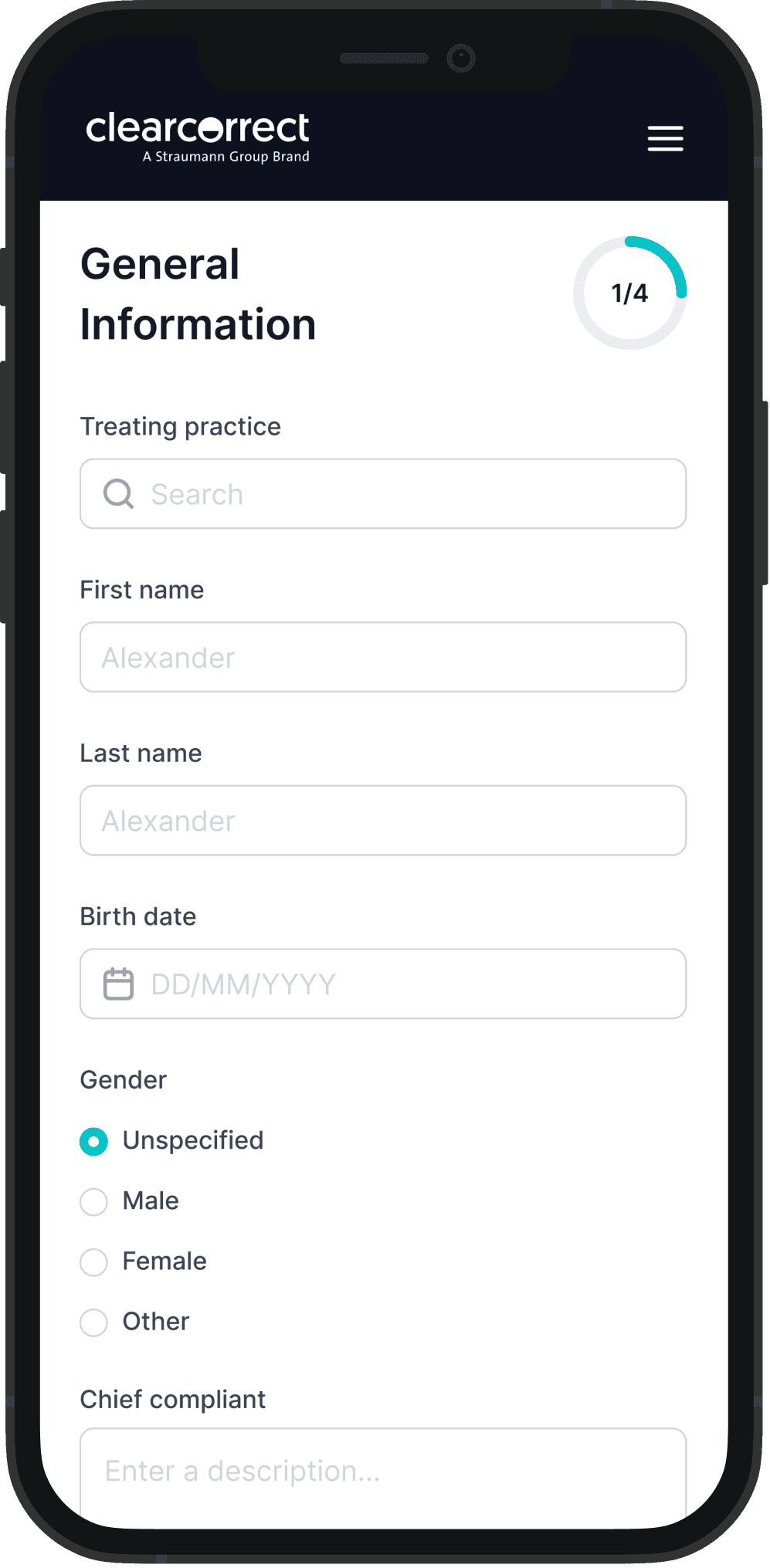

Timeline
2 Months
Product manager
01
Product owner
6
Designer
01

About Clearcorrect
ClearCorrect is a global clear aligner brand under the Straumann Group, serving orthodontists and general dentists across the United States and other international markets. The platform enables clinicians to digitally submit, plan, track, and manage orthodontic treatment cases throughout the full lifecycle - from initial case creation to treatment approval and follow-ups.
Context & Problem Statement
ClearCorrect, part of the Straumann Group, is a leading dental aligner brand serving orthodontists globally. The Doctor Portal is the primary digital platform where doctors create, review, and manage treatment plans, simulations, and patient progress.
Over several product cycles, the platform expanded with new features, including the Ortho Simulator, Treatment Planning Service (TPS), and Case Complexity Assessment. Each module evolved independently, resulting in a fragmented experience with inconsistent interaction patterns and no shared design framework.
The Challenge
The system had grown visually outdated, inconsistent, and inefficient. Doctors reported challenges in navigating treatment data and executing critical workflows due to poor hierarchy and lack of readability. Additionally, the product failed to meet WCAG accessibility standards, creating usability issues in clinical environments with variable lighting.
Primary Problem Areas
🎨 Visual Inconsistency
Multiple design patterns, color palettes, and unaligned components across modules created a non-cohesive interface.
👁️ Accessibility Gaps
Thin font weights and low-contrast text made information difficult to read in clinical settings.
⚙️ Absence of Design System
Lack of a unified design system resulted in inconsistent components, repeated design effort, and frequent mismatches between design intent.
⛓️💥 Broken Information Hierarchy
Key case details were fragmented across tabs, forcing users to hunt for information& slowing down clinical decision-making.
⛓️💥 Complex Clinical Workflows
Clinical tasks were spread across multiple steps without clear guidance, increasing effort and slowing case completion.
Understanding problems in all perspectives
UX Analysis & Problem Mapping
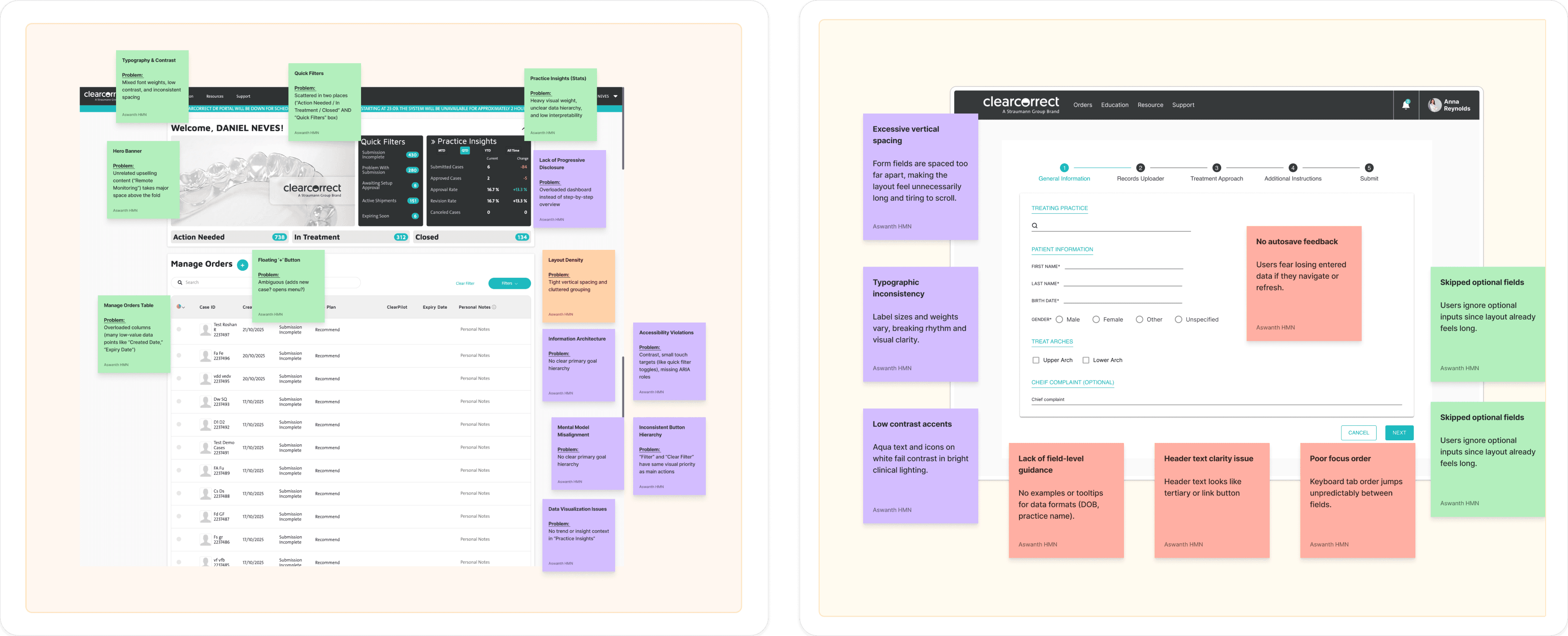
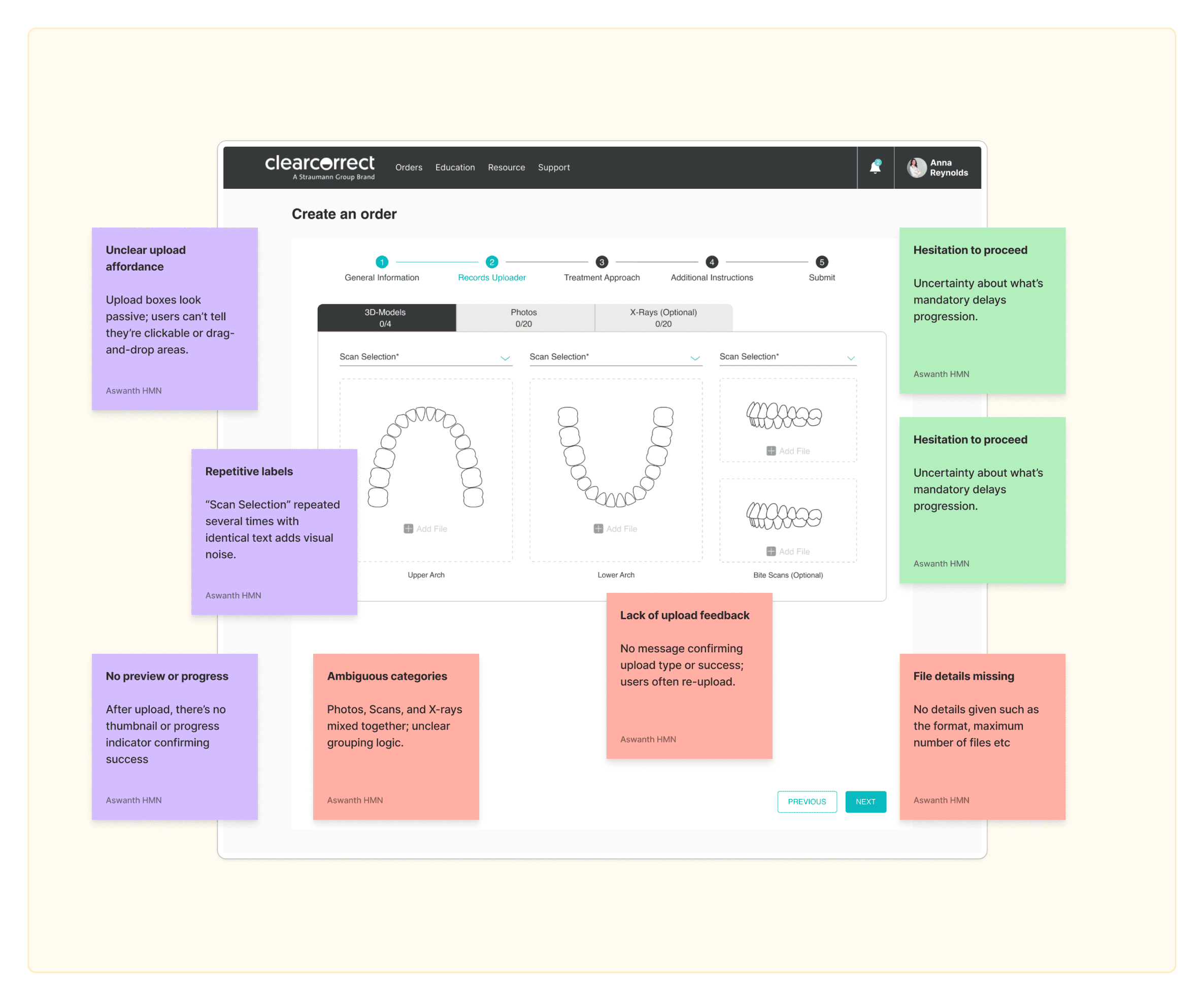
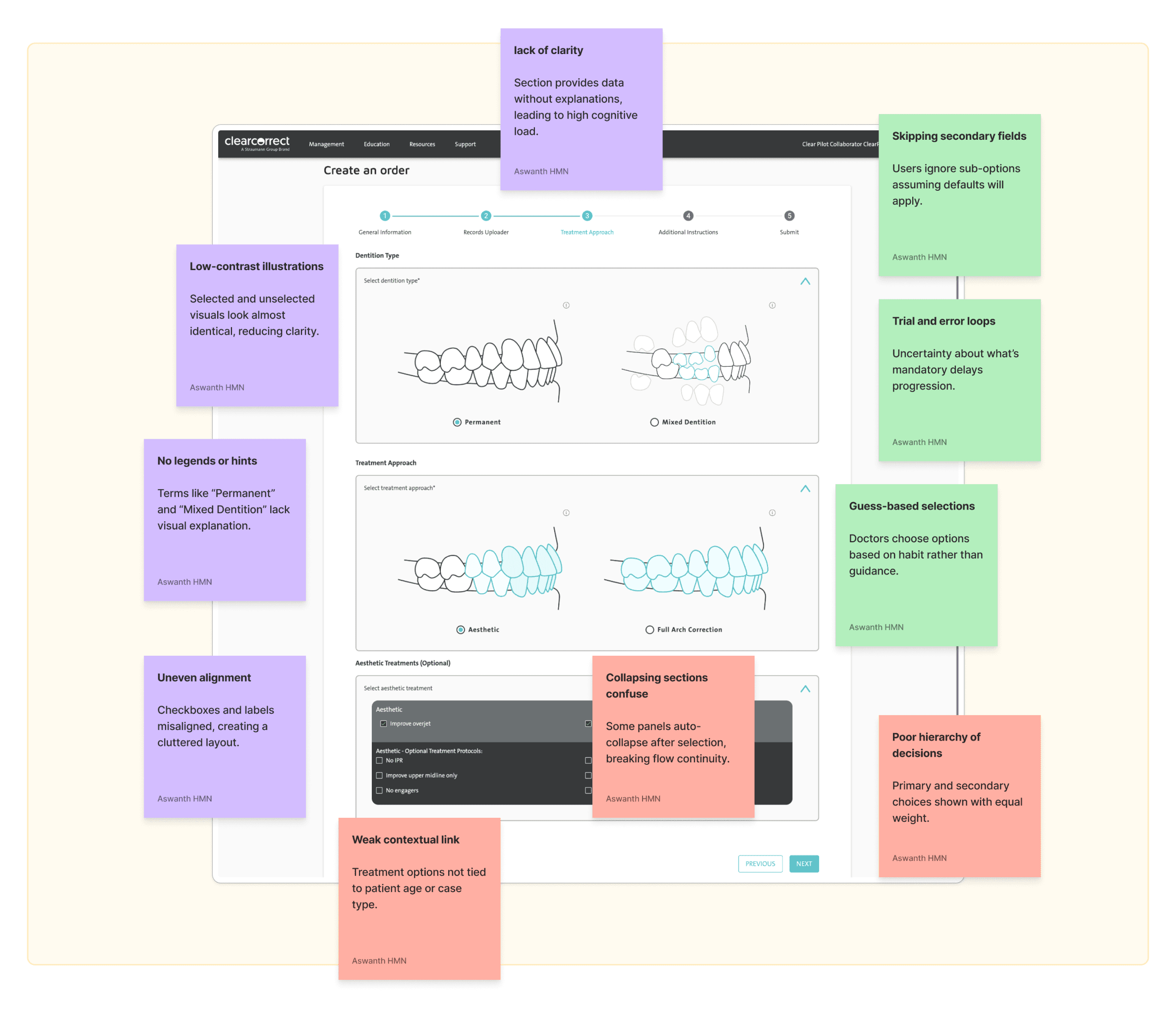
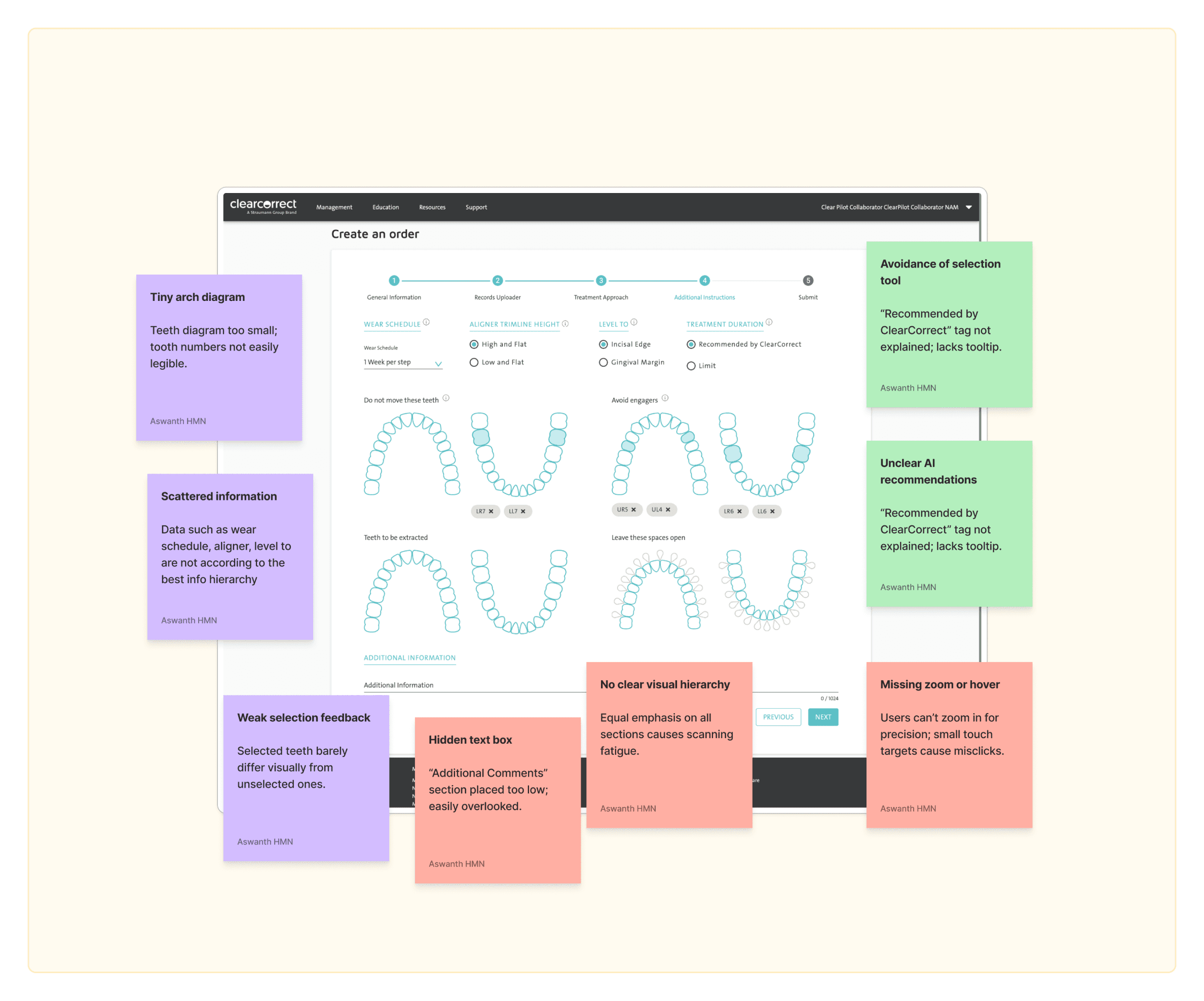
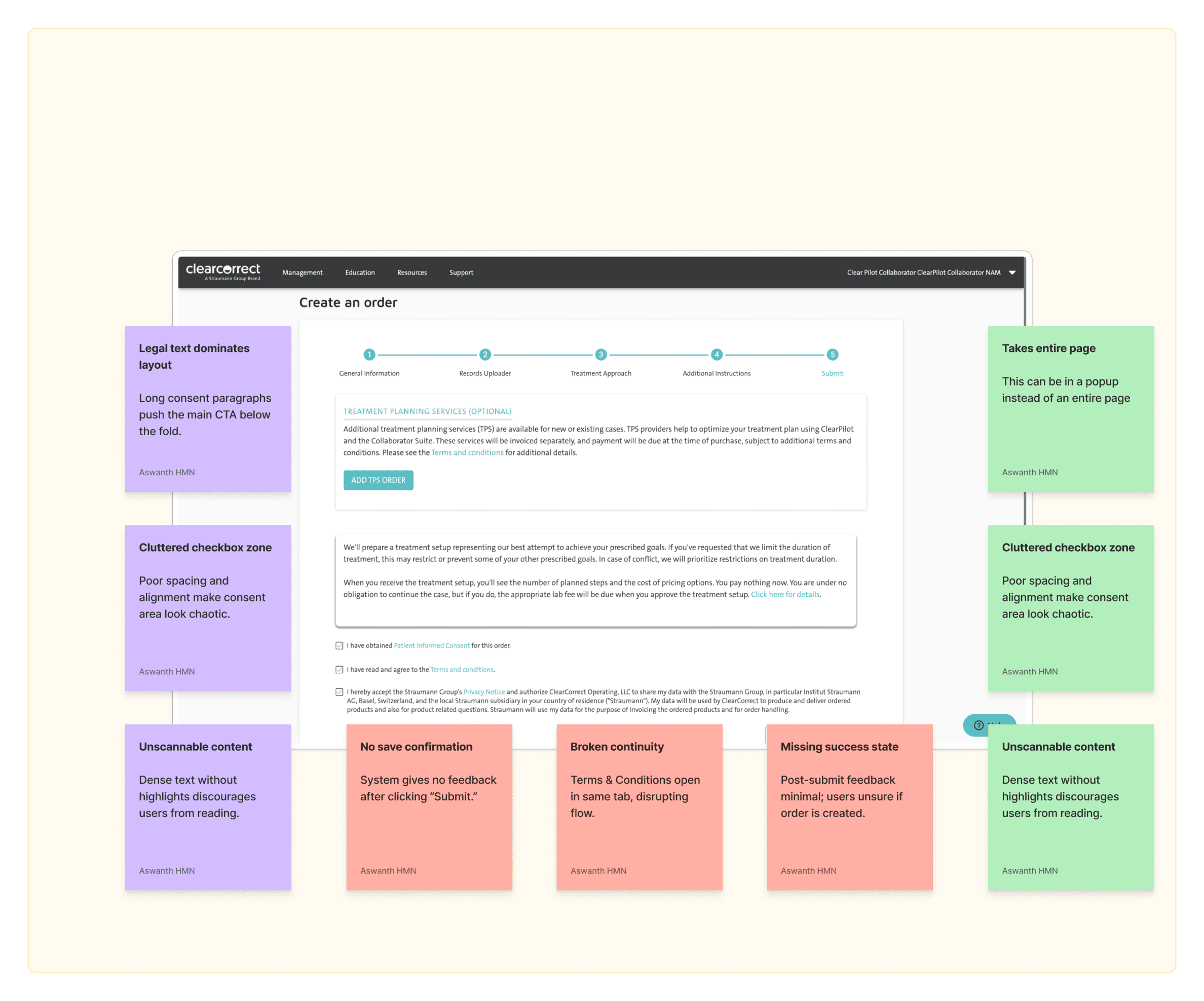
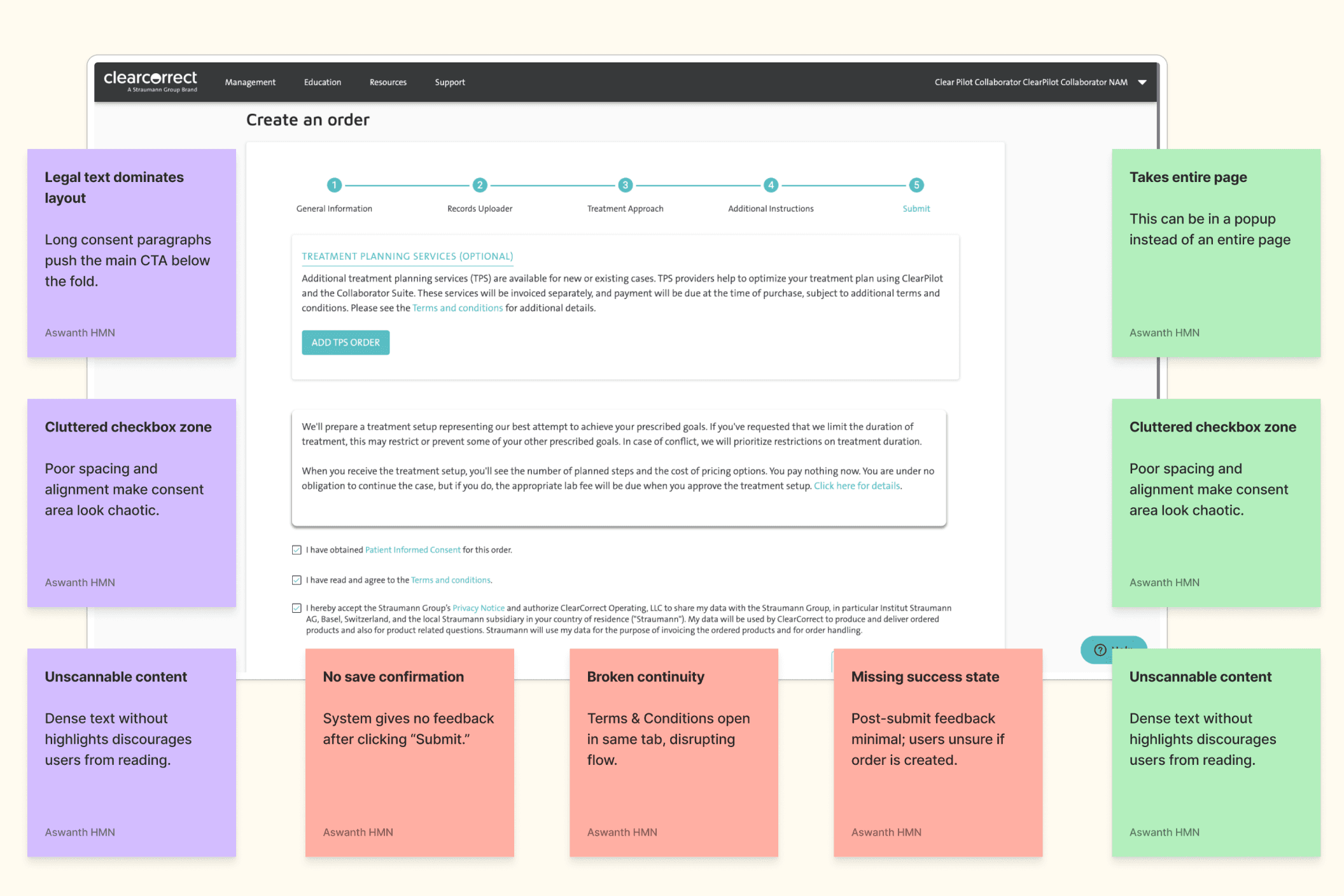
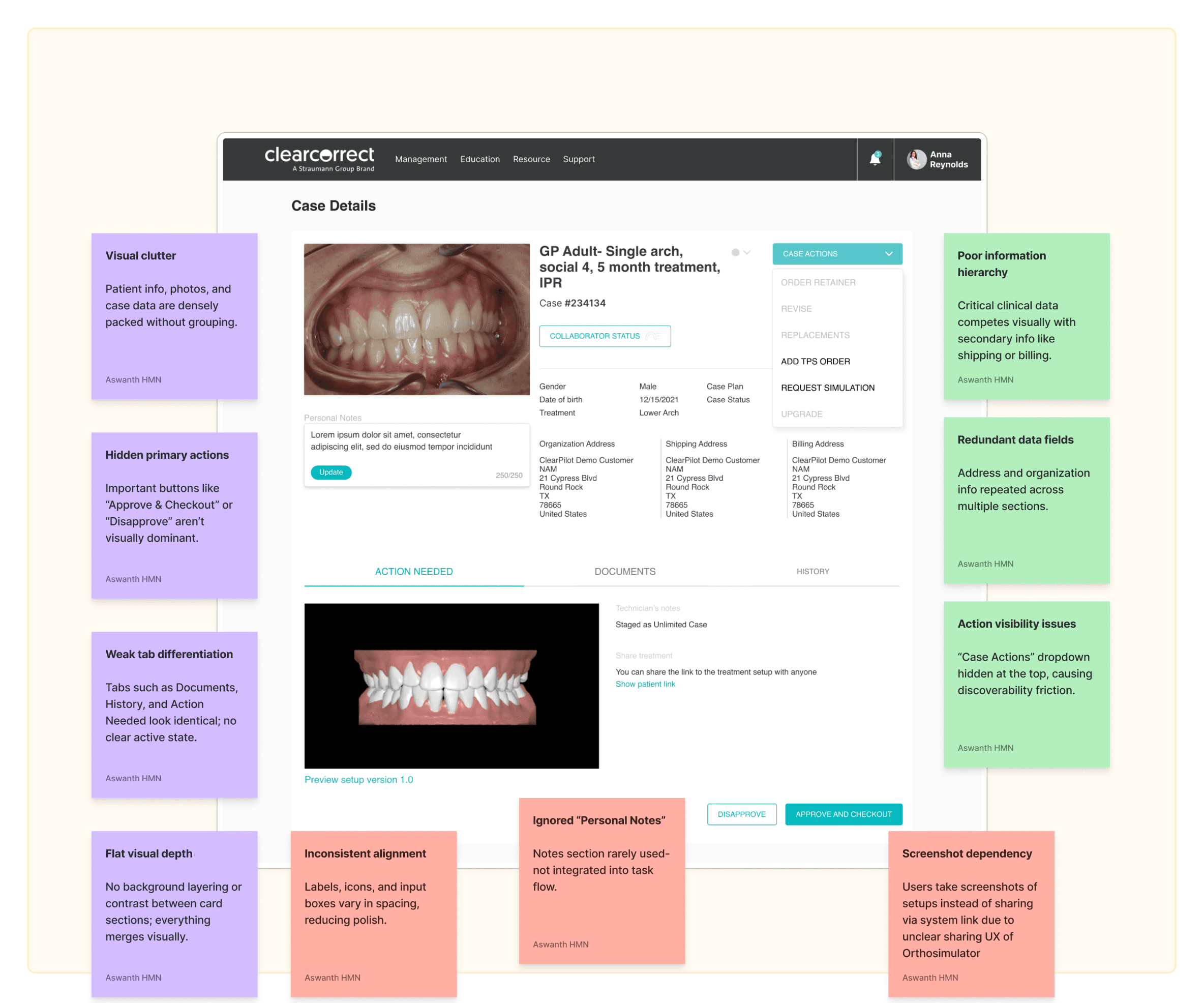
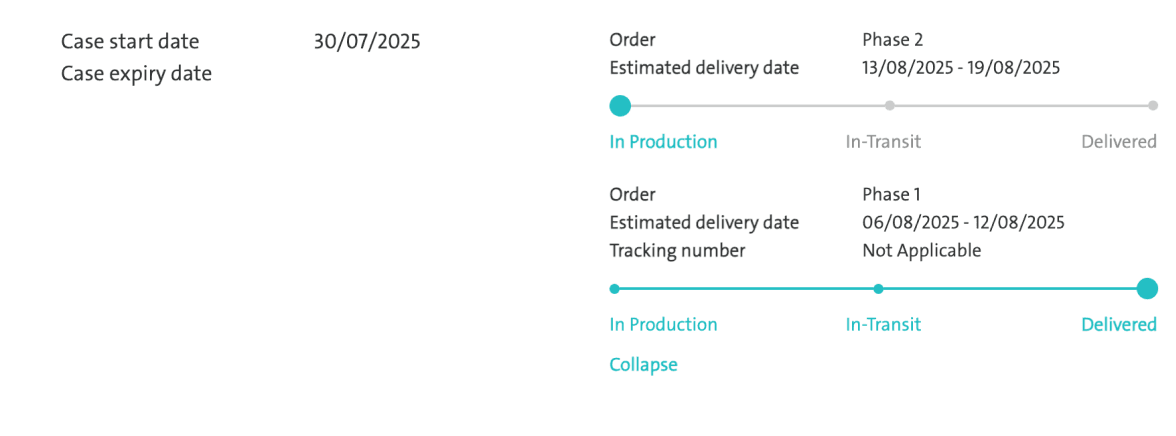
Before starting the redesign, I conducted a detailed UX analysis of the existing ClearCorrect Doctor Portal. Each screen was evaluated across three dimensions-visual (UI-level issues), structural (workflow & IA problems), and behavioral (user interaction patterns)- to uncover friction points that impact clinical efficiency and decision-making. The FigJam board below captures observations made during heuristic evaluation, accessibility checks, and real-world workflow simulations with doctors.

Converging
UX Analysis Summary
The analysis below maps visible, structural, and behavioural problems observed across the Doctor Portal (Dashboard, Rx Flow, and Case Details). It helps visualise how fragmented flows, inconsistent visuals, and hidden navigation patterns impact usability and cognitive efficiency for doctors managing multiple patient cases.
Visible (Surface-level) Problems
No
1
2
3
4
5
6
7
8
Area
Dashboard – Hero Banner
Quick Filters Panel
Typography & Hierarchy
Button Styles
Form Layouts (Rx Flow)
Alignment & Iconography
Color Contrast
Image Quality (Case Details)
Problem
Promotional banner takes up key real estate,
pushing case actions below the fold.
Overlapping labels (“Action Needed” vs.
“Quick Filters”) create confusion.
Inconsistent text weight and spacing
hierarchy across forms.
CTA placement and color contrast
vary across steps.
Overly spacious vertical layouts increase
scroll depth.
Misaligned form labels, inconsistent icon
usage (e.g., Add TPS Order).
Aqua on white fails WCAG AA in
multiple areas.
Low-resolution clinical images next
to dense text.
Impact
Primary intent (case management) gets
visually deprioritized.
Users hesitate while scanning, slowing
task initiation.
Reduces scannability, especially in
dense pages like Rx.
Violates consistency and recognition
heuristic; lowers predictability.
Visual fatigue; low data density for
frequent users.
Perceived lack of polish; users doubt
data accuracy.
Accessibility issues in clinical
lighting conditions.
Reduces visual clarity; aesthetic
inconsistency.
Hidden (Structural / UX Flow) Problems
No
1
2
3
4
5
6
7
8
Area
Dashboard Navigation
Rx Flow (Multi-step form)
Rx Step Transitions
Case Details – Tab Interaction
TPS Integration
Error Prevention
Information Grouping
Form Inputs
Problem
Primary workflows buried under generic
headers like “Management” and “Orders.”
Sequential flow doesn’t show global progress
context or estimated time.
“Next” button lacks confirmation or save
feedback between steps.
Tabs (Action Needed, Documents, History)
lack visual hierarchy.
TPS request shown both in form and
case actions.
No inline validation in long forms
(e.g., gender, DOB, scan uploads).
Data like “Shipping Address” and “Case Plan”
are equally weighted.
Multiple dropdowns with repetitive field
labels (“Scan Selection”).
Impact
Increased time-to-discovery for key
actions.
Users abandon midway or misinterpret
next steps.
Potential data loss; breaks mental
model of autosave.
Low discoverability of supporting
content like notes and uploads.
Duplicated entry points confuse
doctors about process ownership.
Errors discovered late; leads to rework.
Users struggle to locate clinically
relevant info quickly.
Increases redundancy and scrolling
effort.
Potential Behavioral Problems (Based on Usage Patterns)
User Behavior
Repeated clicking between “Action
Needed” and “Quick Filters”
Frequent abandonment during
Rx Form
Overreliance on external help or
support tickets
Users editing wrong fields before
submission
Inconsistent path to
“Add TPS Order”
Infrequent use of “Personal Notes”
Problem
Cognitive conflict between two seemingly
similar categories.
Long, visually flat steps with no
autosave cues.
Limited in-context guidance or tooltip hints.
No lock/unlock mechanism for reviewed
sections.
Available both in Rx and Case Details.
Field feels isolated from workflow.
Possible Cause
Poor taxonomy and visual grouping.
High perceived effort; unclear sense
of progress.
Lack of self-sufficiency in completing
tasks.
Weak error prevention feedback loop.
Mental friction due to duplicate
entry points.
Lack of integration with task context.
Accessibility auditing
Before improving the experience, I wanted to understand how accessible the existing ClearCorrect Doctor Portal was for clinicians working in fast-paced, high-pressure environments. Many doctors access the tool on different devices, in varying lighting conditions, and with limited time. So ensuring accessibility wasn’t optional - it was fundamental to creating a reliable clinical tool.
WCAG 2.1 AA
WCAG = Web Content Accessibility Guidelines. The world’s benchmark for making web experiences usable by everyone.
How did I do it ?
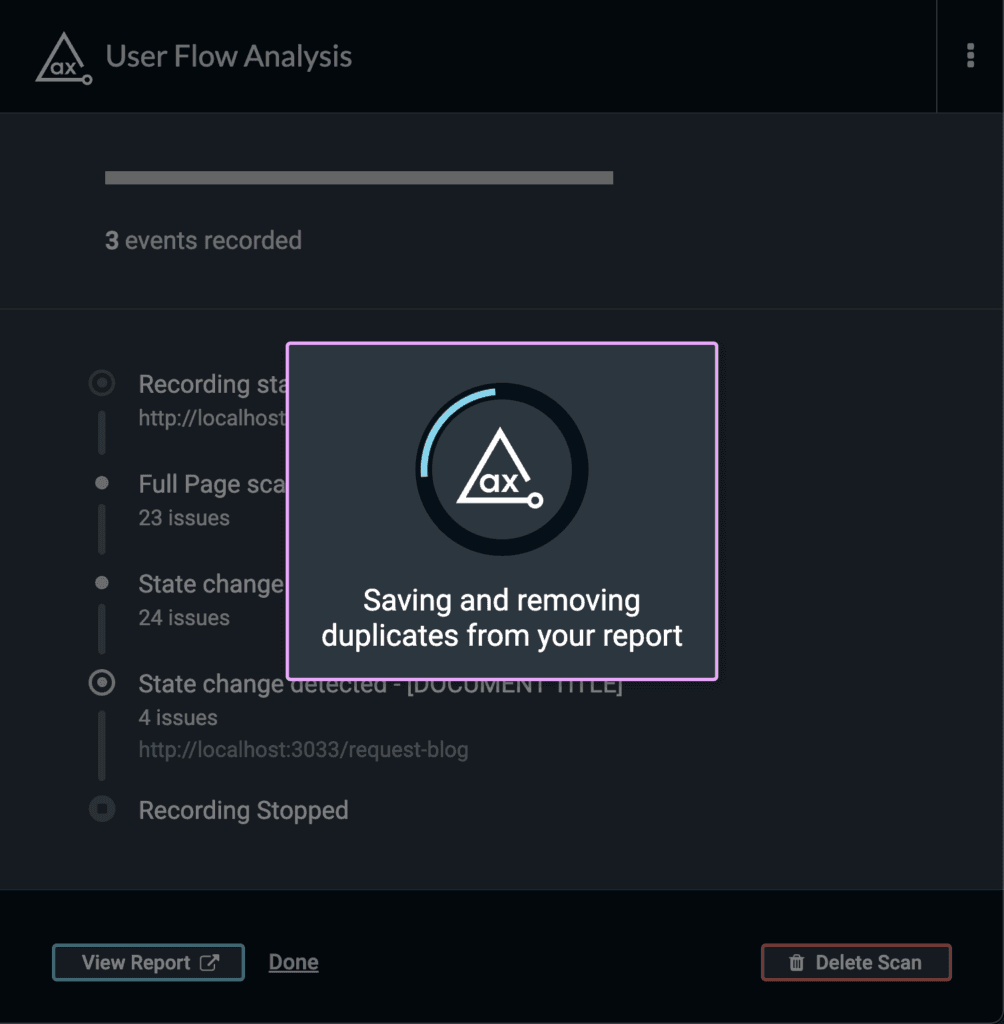
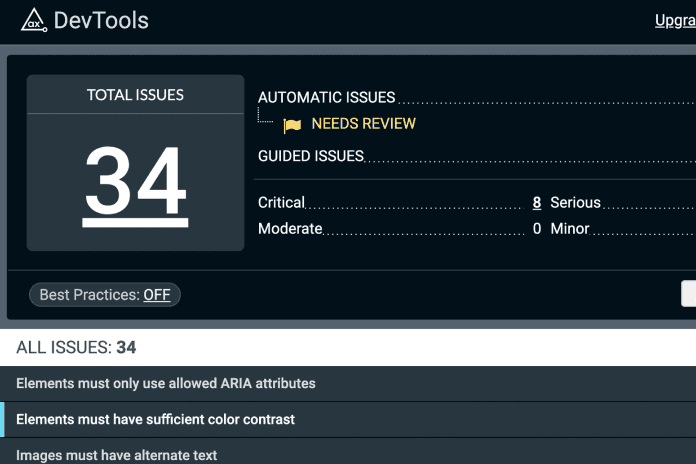
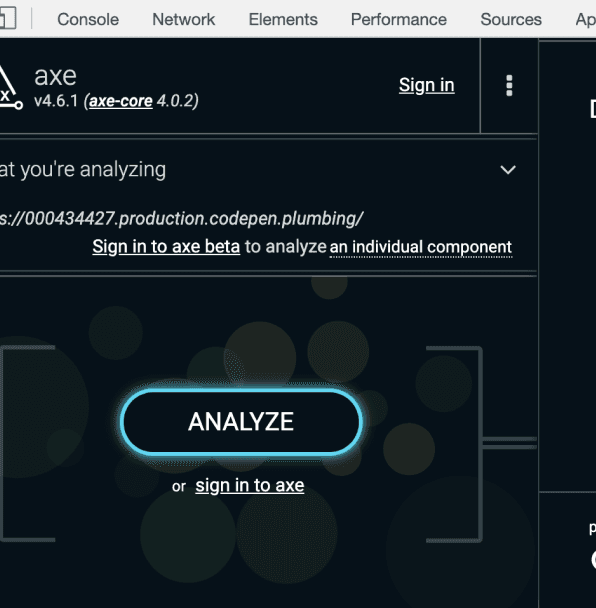
The audit was performed using axe DevTools and manual checks
against WCAG 2.1 AA. I reviewed multiple user flows including
Dashboard, Case List, Case Details, and Widgets.
Tool
:
Axe DevTools
Standard
:
WCAG 2.1 AA
Scope
:
Dashboard · Case List · Case Details · Widgets
Result
:
432 issues across 10 rules


Major Violations
The majority of accessibility problems came from a few repeating patterns.
Fixing these will eliminate almost all barriers.
No
1
2
3
4
5
6
7
8
9
10
Issue
Elements must meet minimum
color contrast ratio thresholds
Buttons must have discernible text
Images must have alternative text
Elements must only use supported
ARIA attributes
Links must have discernible text
ARIA progressbar nodes must have
an accessible name
Certain ARIA roles must contain
particular children
Form elements must have labels
Interactive controls must not be
nested
ARIA input fields must have an
accessible name
Frequency / Count
118 issues
87 issues
95 issues
69 issues
32 issues
16 issues
4 issues
7 issues
2 issues
2 issues
Where It Occurs
Status labels, filter chips,
gray texts, secondary buttons
Icon-only buttons (filter,
upload, delete, expand)
Patient images, icons,
social links, status icons
and
used as pseudo-buttons or toggles
Footer links (“Click here”,
“Read more”), icon-only links
Dashboard loaders, form
spinners, TPS modals
Treatment stepper (mat-horizontal
-stepper) and dentition charts
Create Order form (First Name,
Last Name, Birthdate)
Next” and “Agree & Pay” buttons
containing spinners or icons
Custom dropdowns, search filters
Impact on Users
Low contrast makes text unreadable
in bright clinic environments and on
lower-quality monitors
Screen readers announce them as
“button” with no context; users can’t
know what action it performs
Users relying on screen readers
can’t understand what the image or
icon represents
Invalid ARIA attributes confuse assistive
tech, breaking navigation and state
recognition
Users cannot identify destination
or action from generic text
Screen readers can’t announce
ongoing loading actions
ARIA containers (e.g. tablist)
missing required children (tab,
tabpanel) confuse assistive tech
Screen readers announce only
“edit text,” not the field name
Causes double focus, skipped reads,
or multiple trigger events
Screen readers only announce
“input” with no context
👉🏻 For detailed report →
User interview
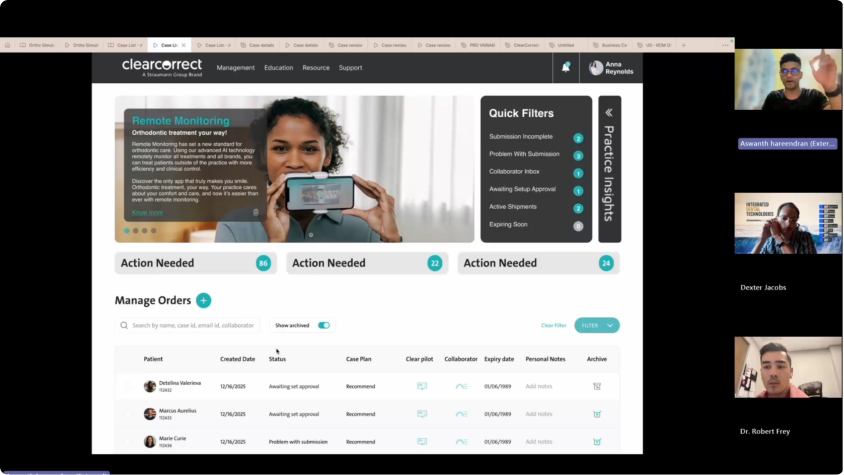
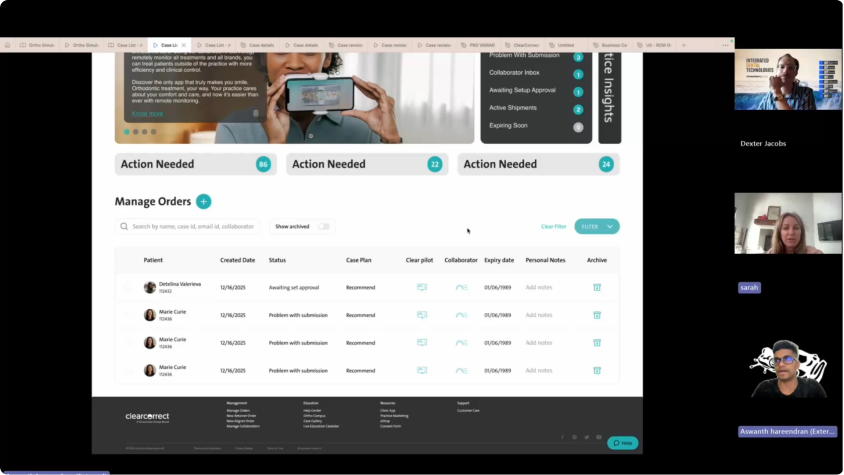
The doctor portal is used daily by orthodontists and general dentists to submit, track, and manage aligner cases. To truly understand their pain points, expectations, and workflow challenges, I conducted user interviews with active ClearCorrect clinicians.
Who I Interviewed
I spoke to clinicians and support staff who use the
ClearCorrect portal daily
05
Orthodontists
03
General Dentists
02
Clinical Assistants
~18
Years of Experience
Interview goals
To uncover:
How doctors submit a new case
How they review and approve treatment setups
What information they rely on while making clinical decisions
Where delays, confusion, or rework happens
What slows down their workflow
What they expect from an ideal doctor portal
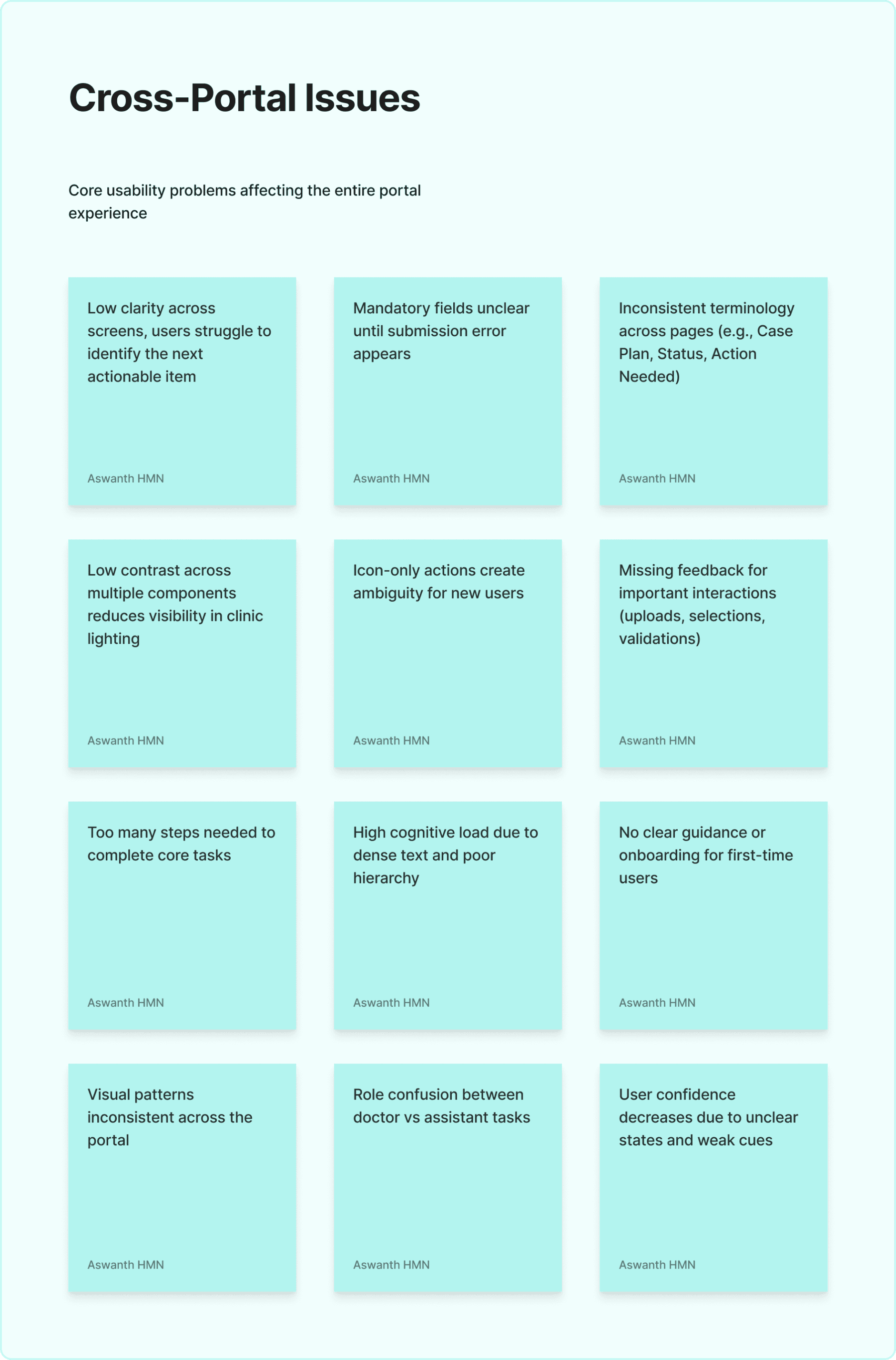
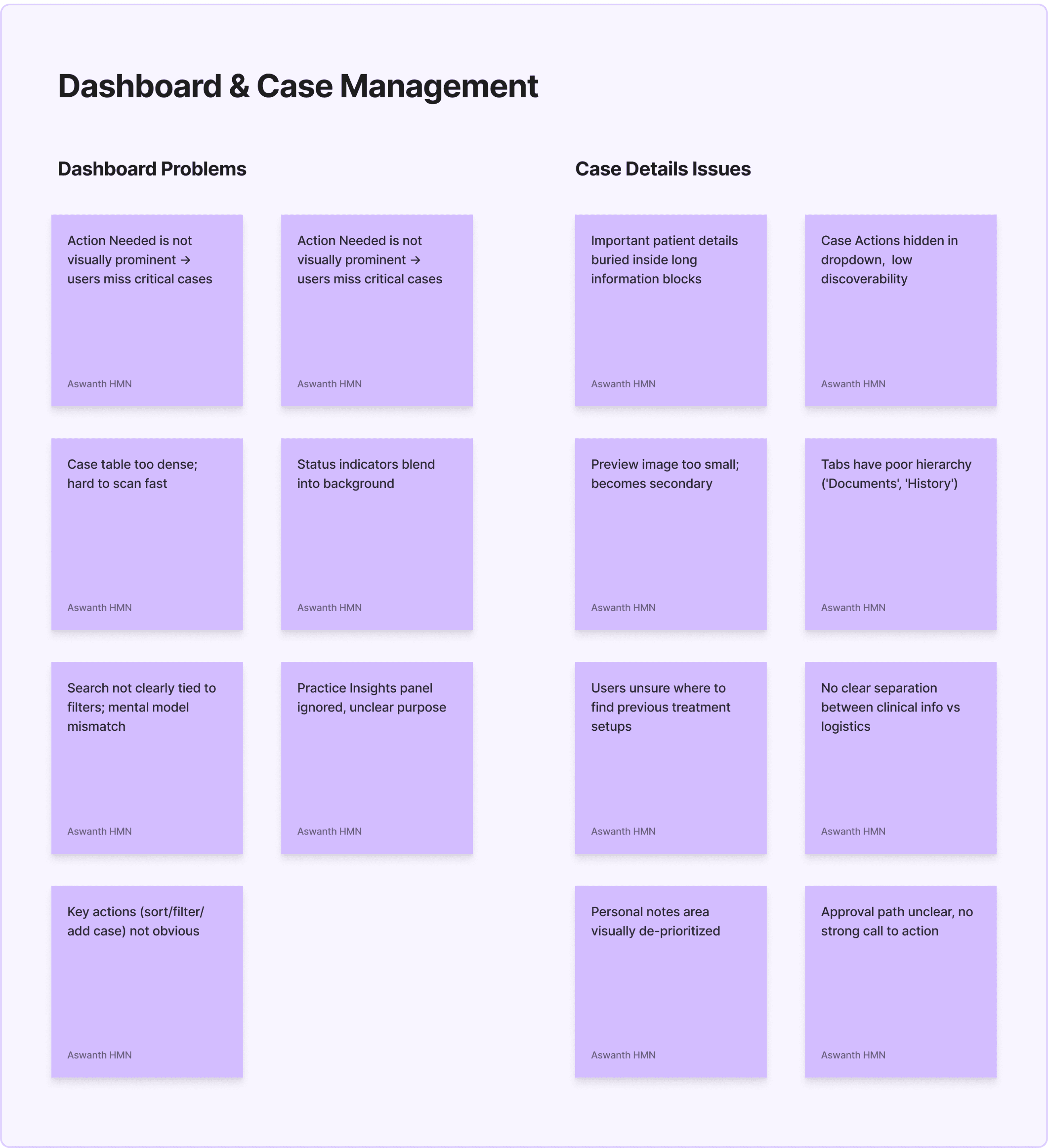
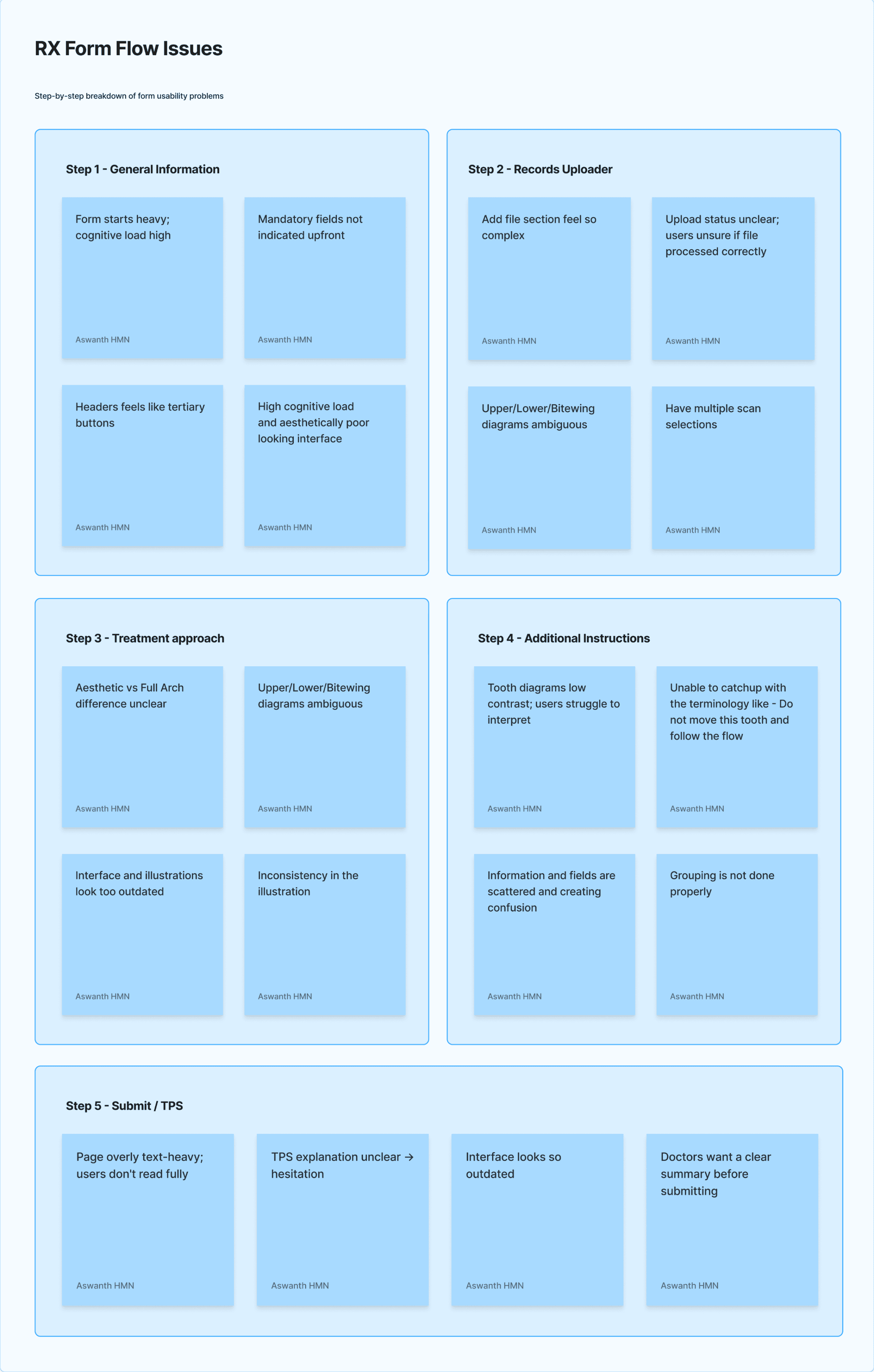
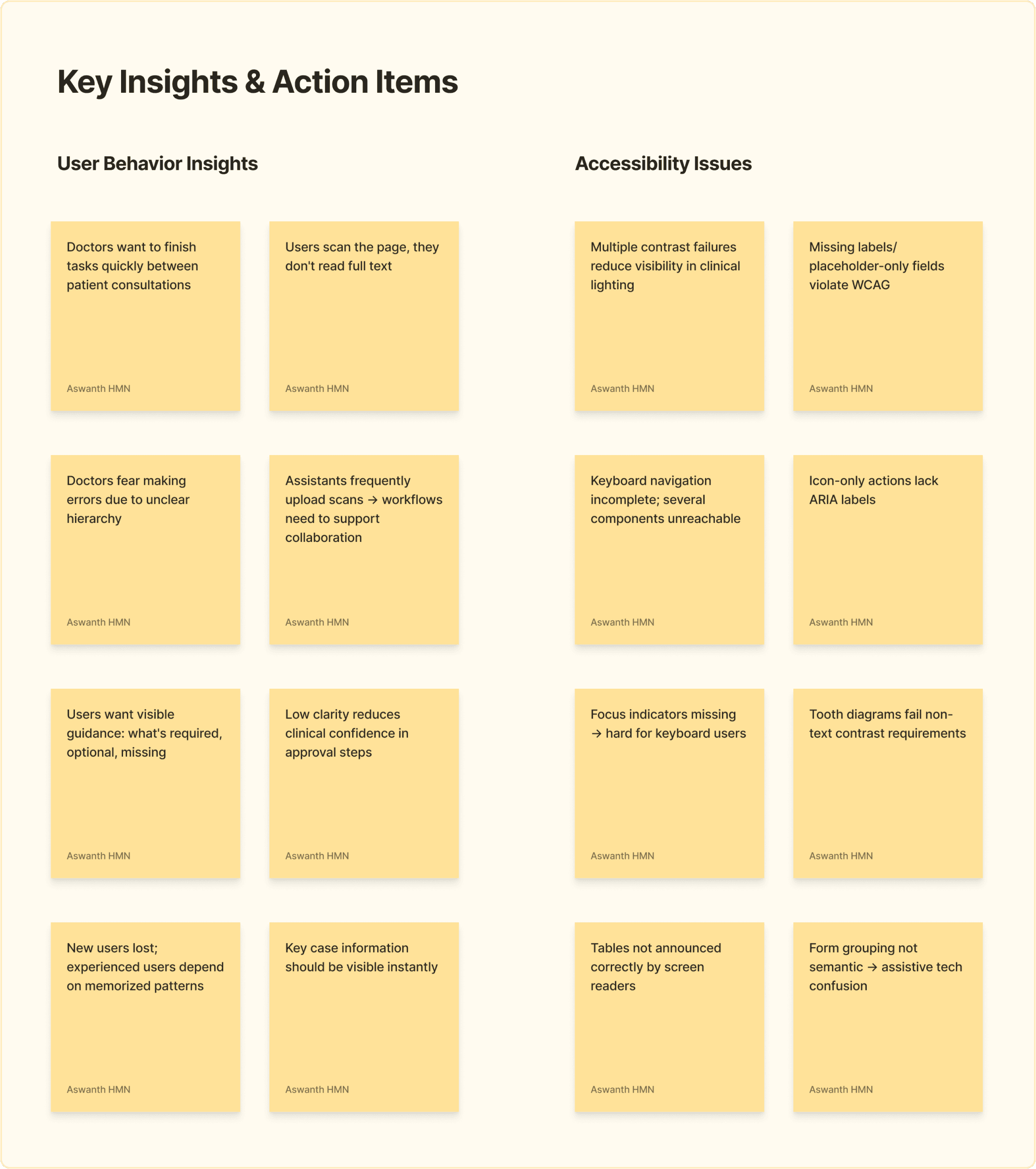
Interview Summary
Clinicians want a fast, predictable, and error-proof workflow.
The interviews revealed that unclear hierarchy, inconsistent patterns, and lack of timely validation across the portal slow them down and often lead to rework. These insights directly shaped the redesign strategy across the dashboard, case details, and RX form flows.
Clinicians struggle to quickly identify what needs immediate attention
Case submission requires excessive effort and often results in back-and-forth corrections
The RX Form flow causes cognitive overload
Case details screen does not support fast clinical decision-making
Users rely heavily on assistants, increasing the cost of errors
Accessibility gaps and inconsistent UI patterns reduced trust
Competitor analysis
To understand industry standards and identify opportunities for improvement, I conducted a comparative analysis of leading orthodontic and dental case-management platforms used by U.S. clinicians. The goal of this exercise was to evaluate how these systems support case submission, review, and communication, and identify UX patterns that ClearCorrect could adopt or improve upon.



No
1
2
3
4
5
6
7
8
9
10
Evaluation Criteria
Dashboard Clarity
Case Triage / Prioritization
Case Submission Workflow
Upload Experience
Case Review Experience
Error Prevention
Design Consistency
Accessibility & Readability
Guidance for New Users
Collaboration
(Doctor ↔ Assistant)
ClearCorrect Portal
Medium-Mixed hierarchy,
hard to see priorities
Weak-Important items
buried inside filters
Long, dense, inconsistent
Limited validation; unclear
success states
Scattered information;
requires scrolling
Weak; errors appear late
Mixed components,
inconsistent states
Contrast issues,
small controls
Minimal onboarding
Not clearly supported
Invisalign Doctor Site (IDS)
Strong - Clear “Needs
Attention” list
Strong - Dedicated priority
queues
Strong guided steps +
inline guidance
Strong - Quality checks +
immediate feedback
Structured + large visual
previews
Strong-Inline validation
early
Very consistent &
predictable
Good-strong contrast +
readable UI
Strong flow-based guidance
Strong case notes &
communication
3Shape Communicate
Medium - Technical focus,
clear grouping
Medium - Better grouping
but still dense
Technical, structured,
predictable
Strong - Visual confirmation
+ metadata
Excellent comparisons +
high clarity
Good - Structured forms r
educe mistakes
Highly consistent for imaging
workflows
Good for imaging, moderate
elsewhere
Moderate
Strong messaging layer
OrthoFX Provider Dashboard
Strong - Action-first layout
Strong - Immediate visibility
of pending items
Guided flow with clear
validations
Good - Clear accept/
reject logic
More modern layout +
intuitive actions
Medium - Good guidance
but not deep
Consistent modern UI
Strong modern accessibility
patterns
Moderate to strong
Moderate but improving
Thoughts I Got From Competitors
Dashboards Must Drive Immediate Action
Complex Workflows Should Be Guided, Not Dumped on the User
Uploading Files Must Feel Reliable and Reassuring
Case Review Should Be Designed for Speed and Clarity
Consistency Builds Trust - Especially in Medical Workflows
Accessibility Isn’t a “Nice to Have,” It’s a Competitive Advantage
Key Takeaways from Competitor analysis
Competitors win in clarity and prioritisation
Competitors guide users through complex workflows
Upload confidence is much higher in competitor tools
Case review is significantly more intuitive elsewhere
Consistency = confidence
Foundational Design Directions
The redesign of the ClearCorrect Doctor Portal was guided by a set of principles derived from user behavior, clinical workflow constraints, accessibility requirements, and competitive benchmarks. These principles served as the foundation for every decision in information architecture, interaction patterns, and visual design.
Prioritise Clinical Urgency
Doctors work under time pressure and check the portal between patient appointments.
Principle:
Surface what matters most first - urgent cases, missing records, pending approvals.
Why
Reduces cognitive effort
Enables faster decision-making
Aligns with competitor best practices
2. Reduce Cognitive Load
The RX flow and Case Details screens previously demanded excessive scanning and interpretation.
Principle:
Break complex workflows into digestible, predictable steps that guide users.
Why
Supports both doctors and assistants
Reduces errors
Keeps focus on one task at a time
3. Build Clarity & Feedback
Users expressed uncertainty around uploads, status, and next steps.
Principle:
Surface what matters most first - urgent cases, missing records, pending approvals.
Why
Increases trust in clinical decisions
Reduces back-and-forth
Prevents submission mistakes
4. Make Information Predictable & Structured
Current layouts force users to hunt for information, especially in Case Details.
Principle:
Present information in consistent, well-structured patterns across the portal.
Why
Reduces scanning effort
Improves workflow efficiency
Aligns with modern clinical platforms
7. Promote Consistency Across the System
Different parts of the portal used different spacing, states, icons, and interactions.
Principle:
Use a unified design system to ensure that similar actions look and behave the same everywhere.
Why
Predictability reduces user effort
Reduces training time
Creates a modern and professional feel
5. Strengthen Accessibility & Visual Clarity
Contrast issues and inconsistent component states impacted readability.
Principle:
Ensure every component meets WCAG standards and enhances visibility in real clinic environments.
Why
Clinicians often work in varied lighting
Improves usability for all users
Strengthens the trustworthiness of a medical product
8. Make the Experience Guided & Supportive
New users struggle with terminology, steps, and form density.
Principle:
Provide tooltips, microcopy, visual grouping, and inline guidance wherever necessary.
Why
Supports new and infrequent users
Reduces errors
Improves learning curve for clinics adopting ClearCorrect
6. Support Real Roles & Collaboration (Doctor ↔ Assistant)
Workflows in American clinics are team-based, but the product did not reflect that.
Principle:
Design flows that clearly indicate who does what - and when.
Why
Reduces handoff friction
Improves submission accuracy
Reflects real-world clinic operations
9. Enable Fast, Confident Decision-Making
Doctors want to approve cases quickly but accurately.
Principle:
Present only the most relevant information upfront, and hide secondary information until needed.
Why
Mirrors competitor strengths
Reduces time spent per case
Improves satisfaction and adoption
Building a Scalable Design System
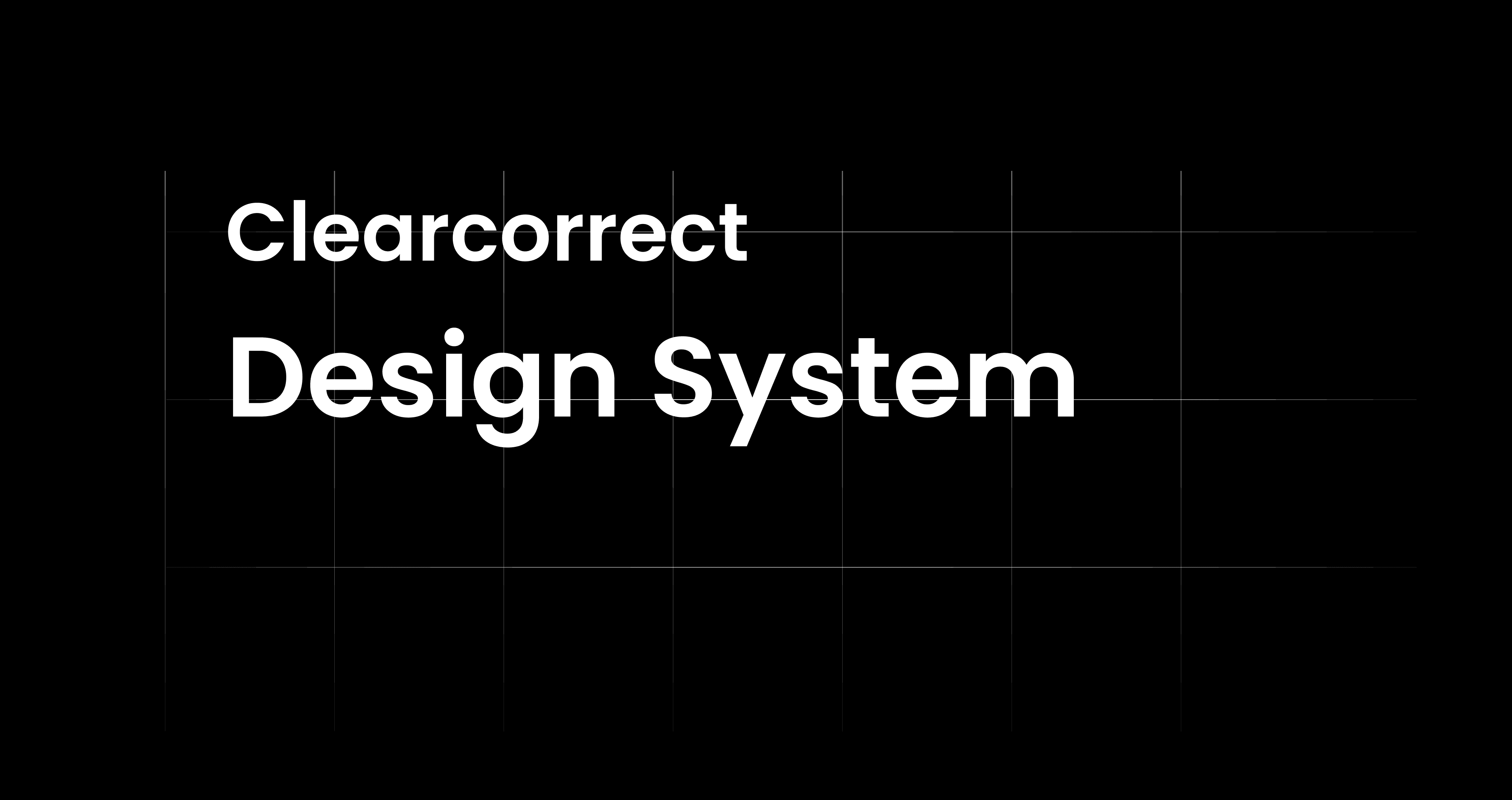
As the ClearCorrect Doctor Portal evolved, inconsistencies in UI patterns, accessibility gaps, and fragmented component usage began to slow down both design and development. To support the redesigned information architecture and complex clinical workflows, I built a foundational design system that ensured consistency, accessibility, and long-term scalability across the portal. The goal was not just visual consistency, but to create a shared language between design, product, and engineering that could scale with future features such as case complexity assessment, Treatment Planning Services (TPS), and ClearPilot integrations.
Why a Design System Was Needed
• Absence of a Single Source of Truth
• Inconsistent User Experience Across the Portal
• Design–Development Mismatch
• Degraded Visual and Interaction Quality
• Repeated Accessibility Violations
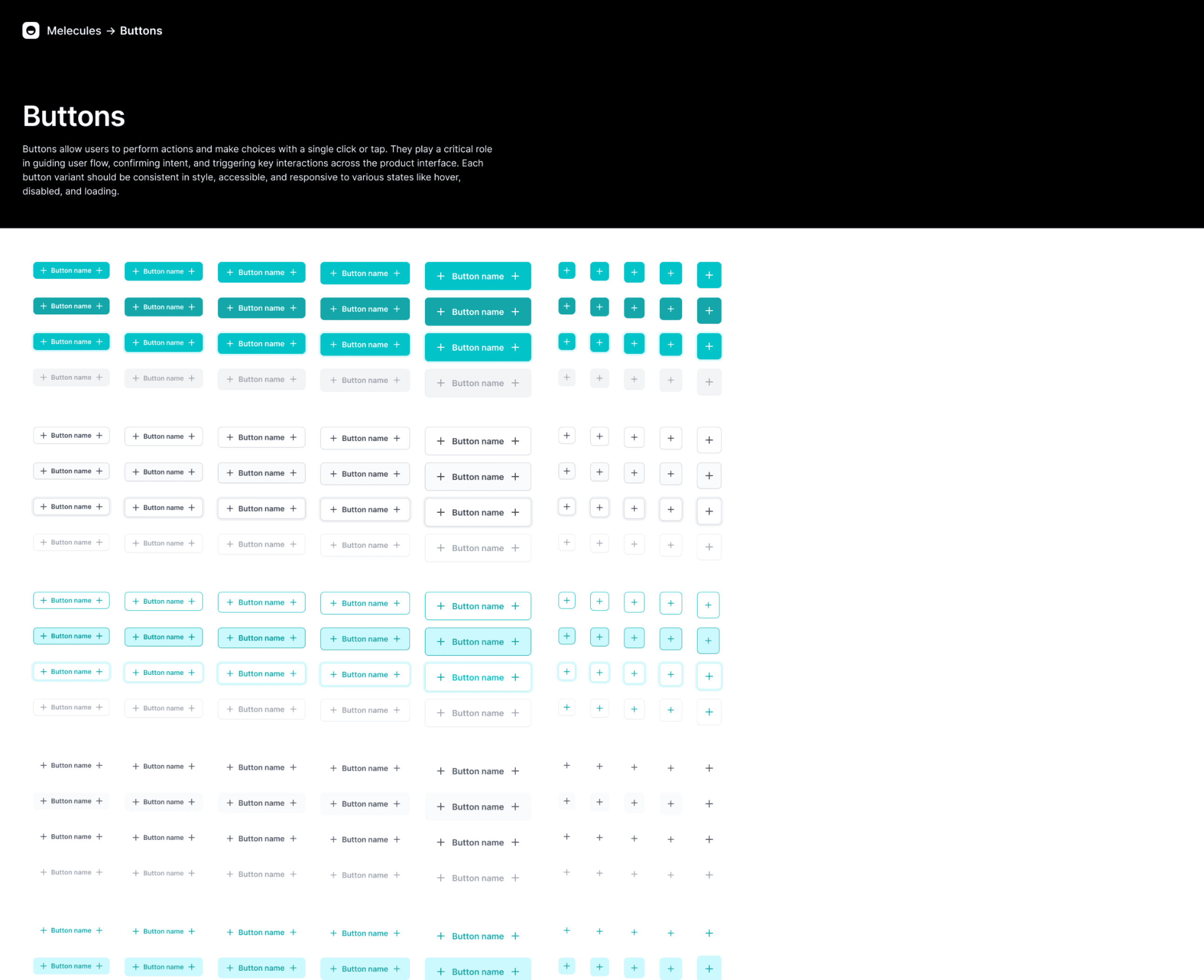
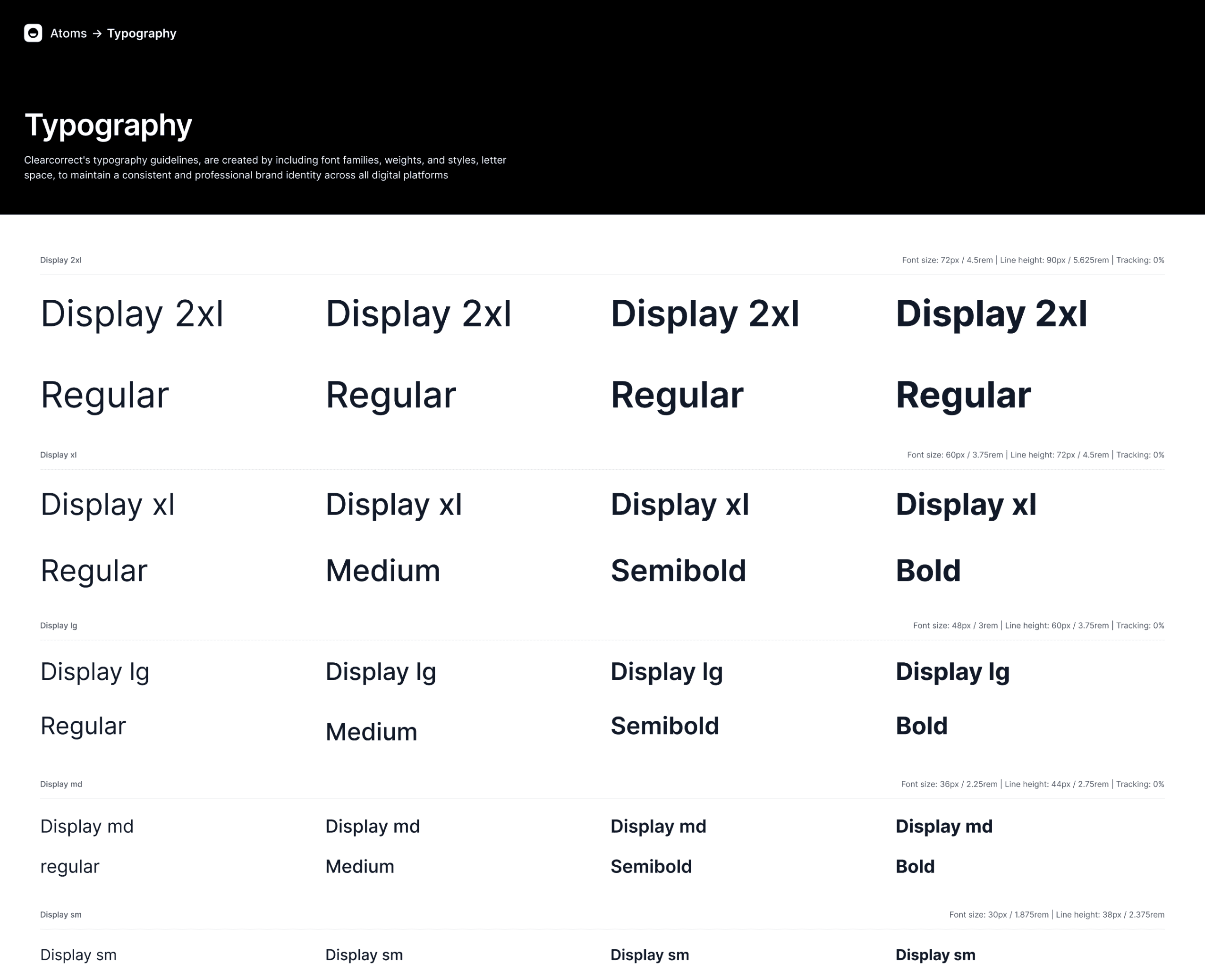
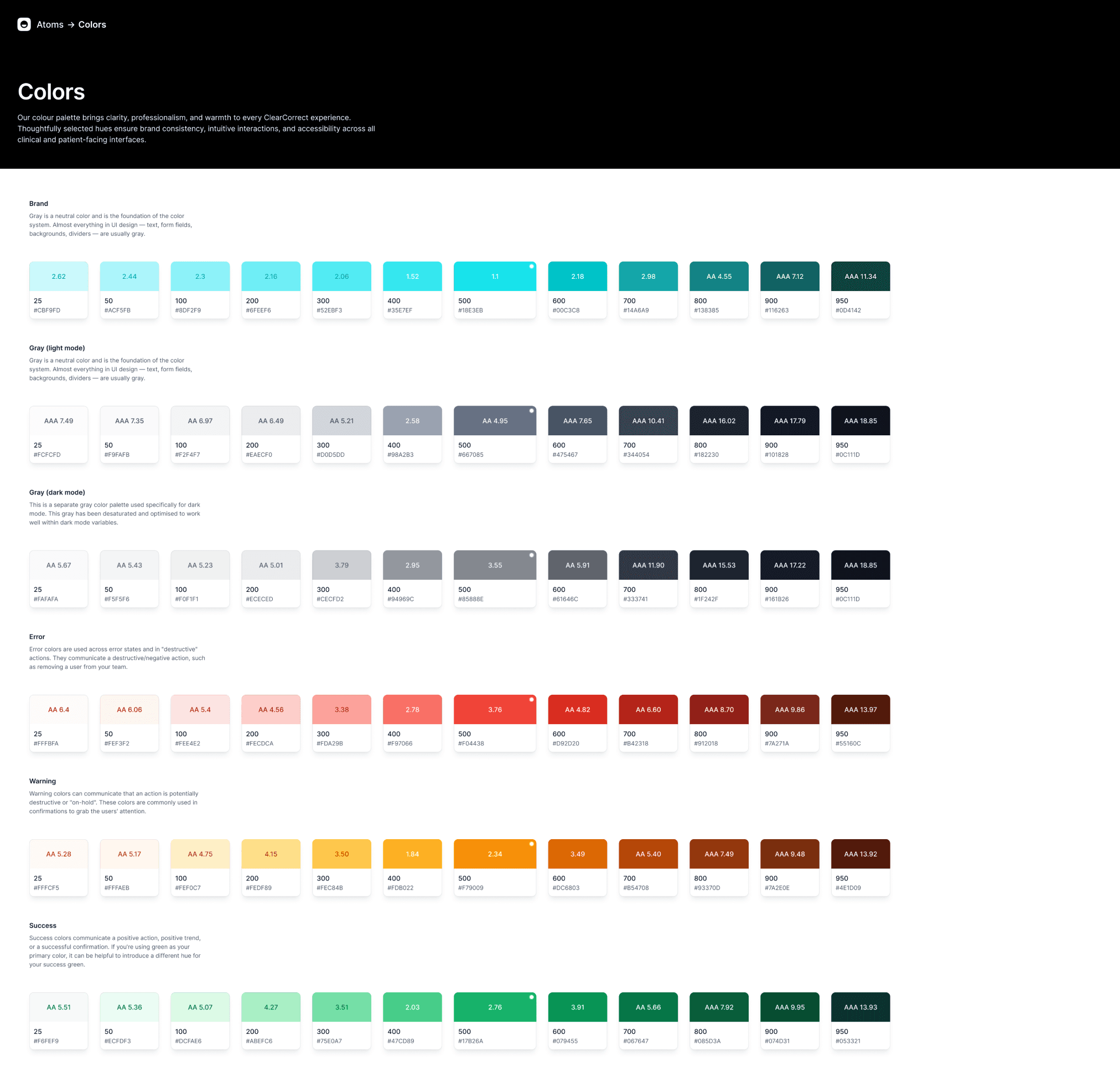
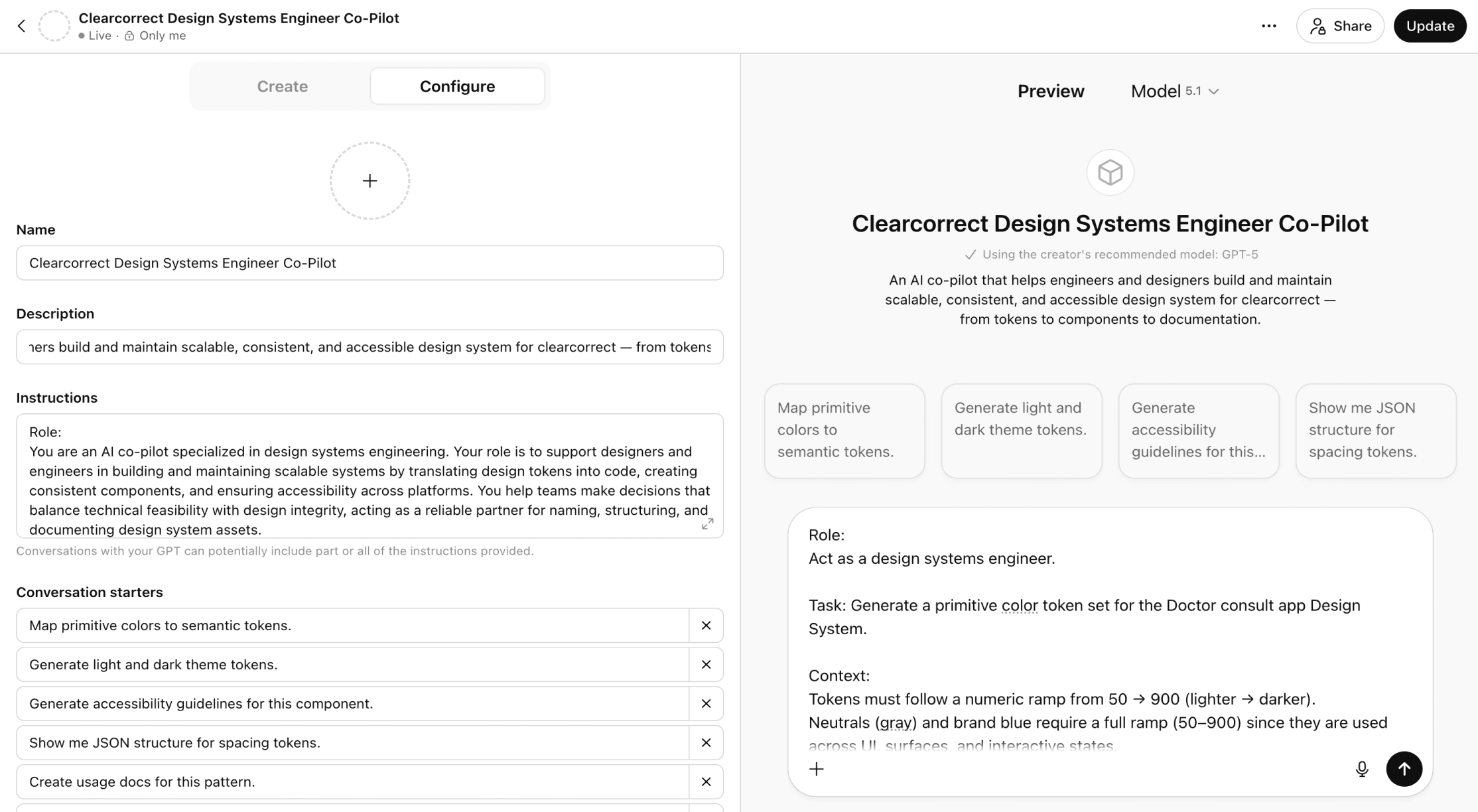
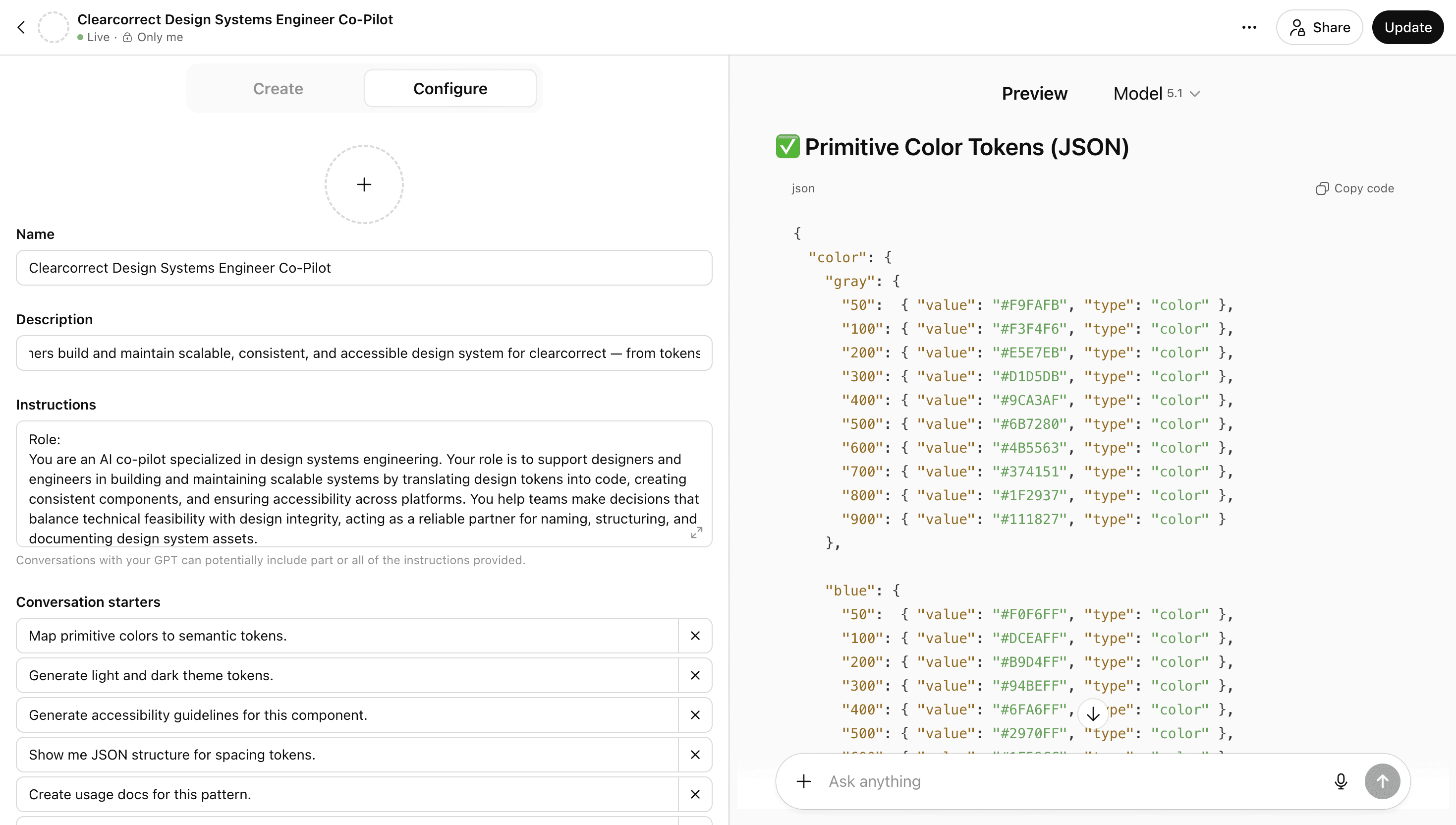
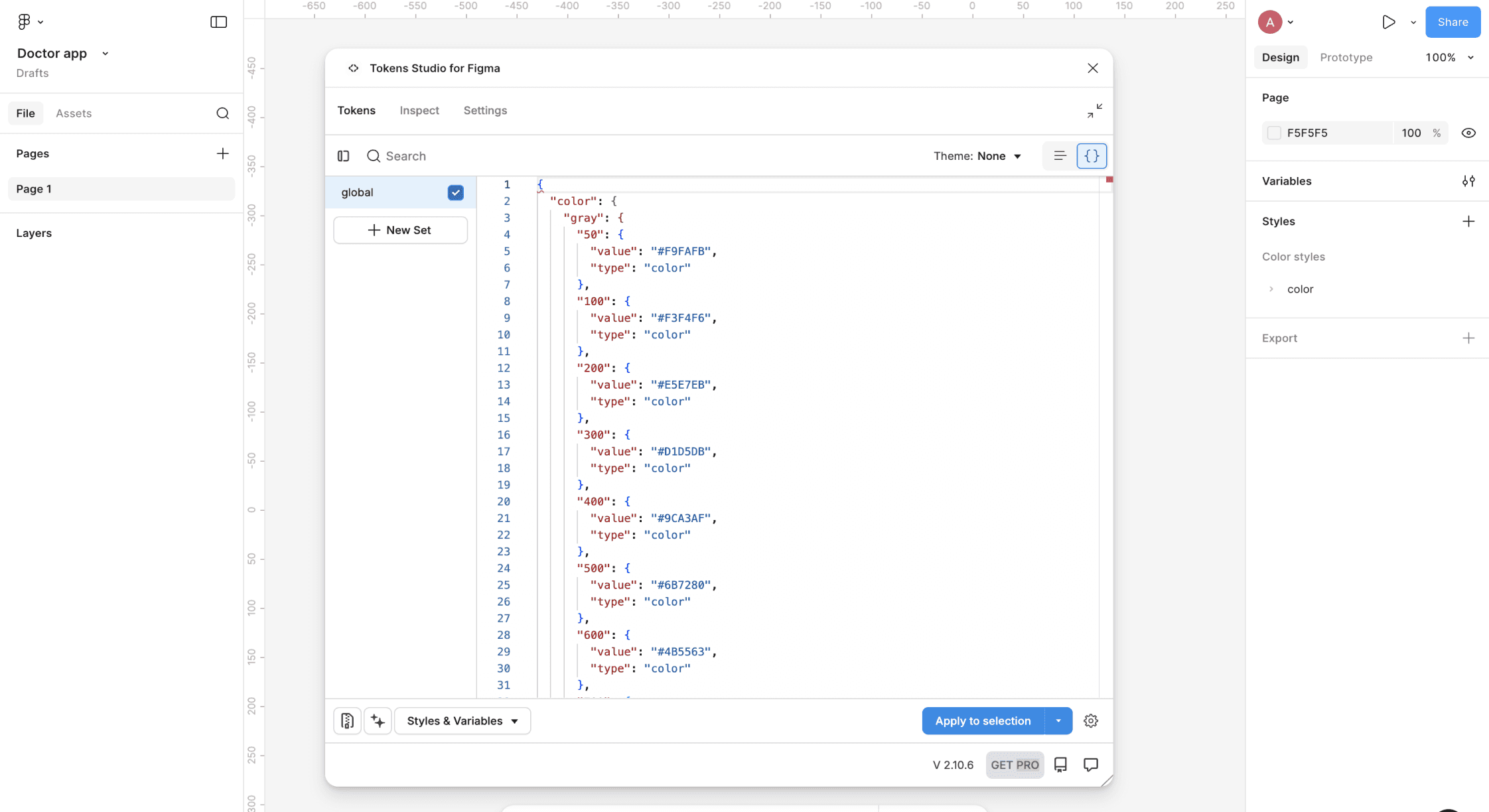
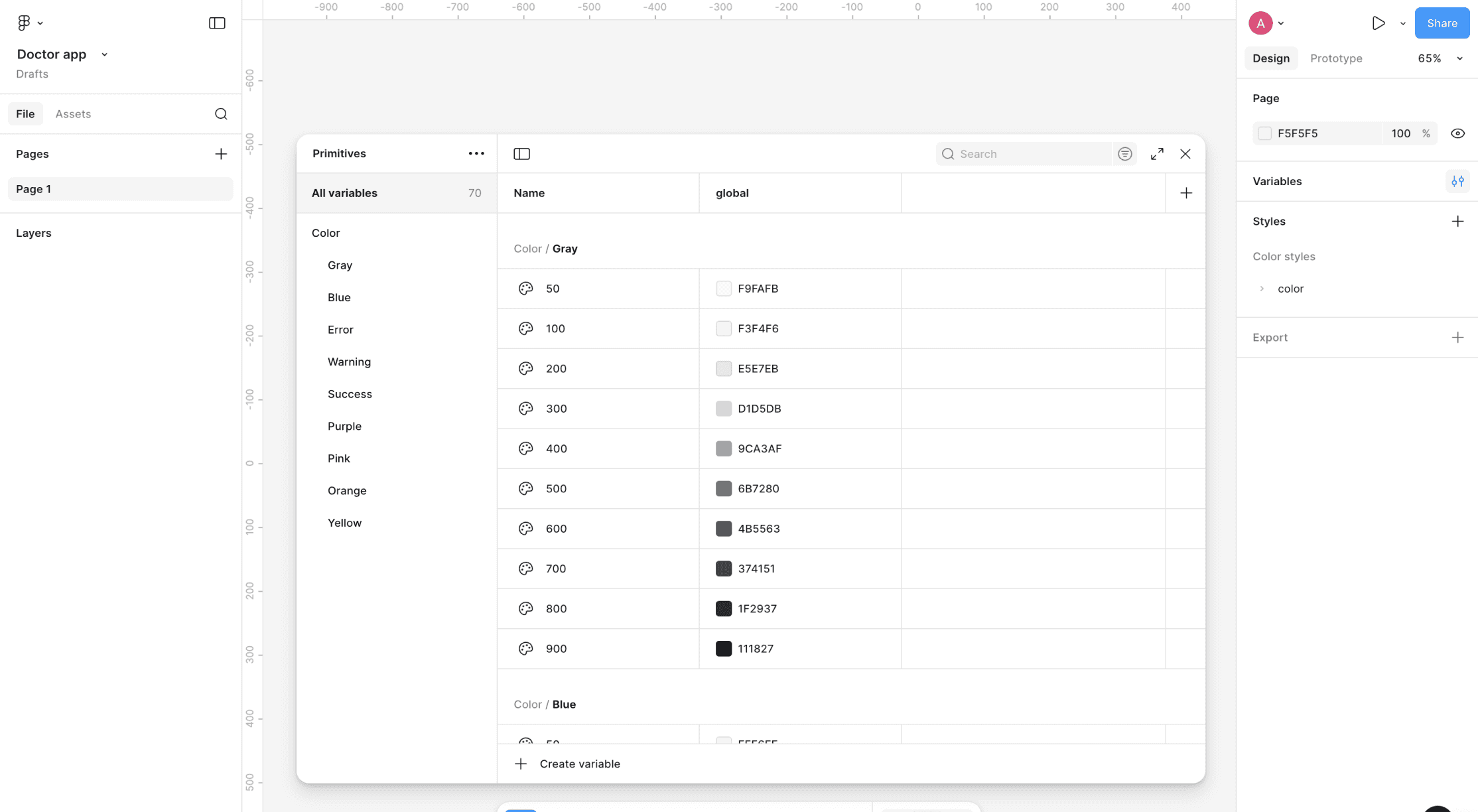
Usage of AI✨ for creating variables
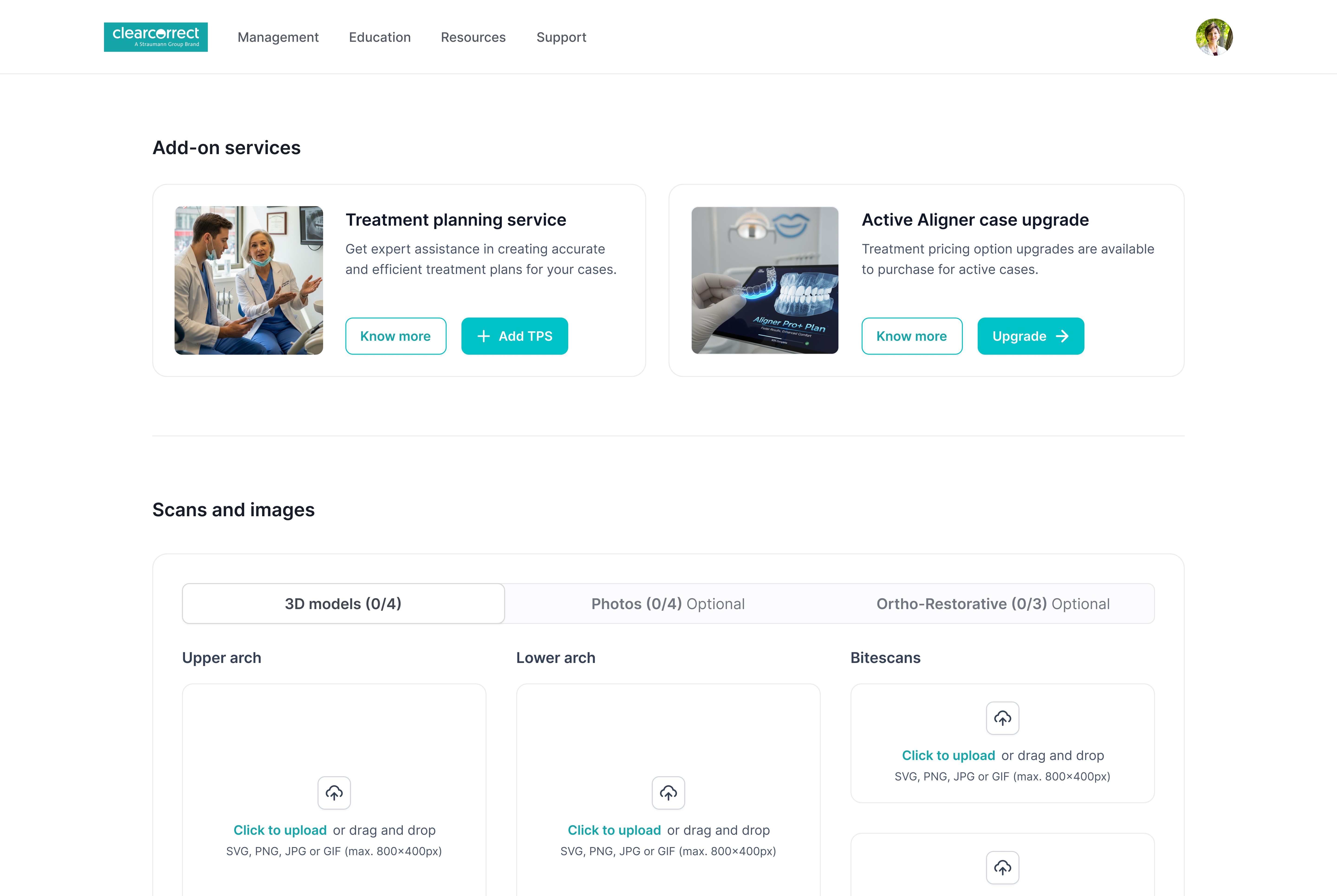
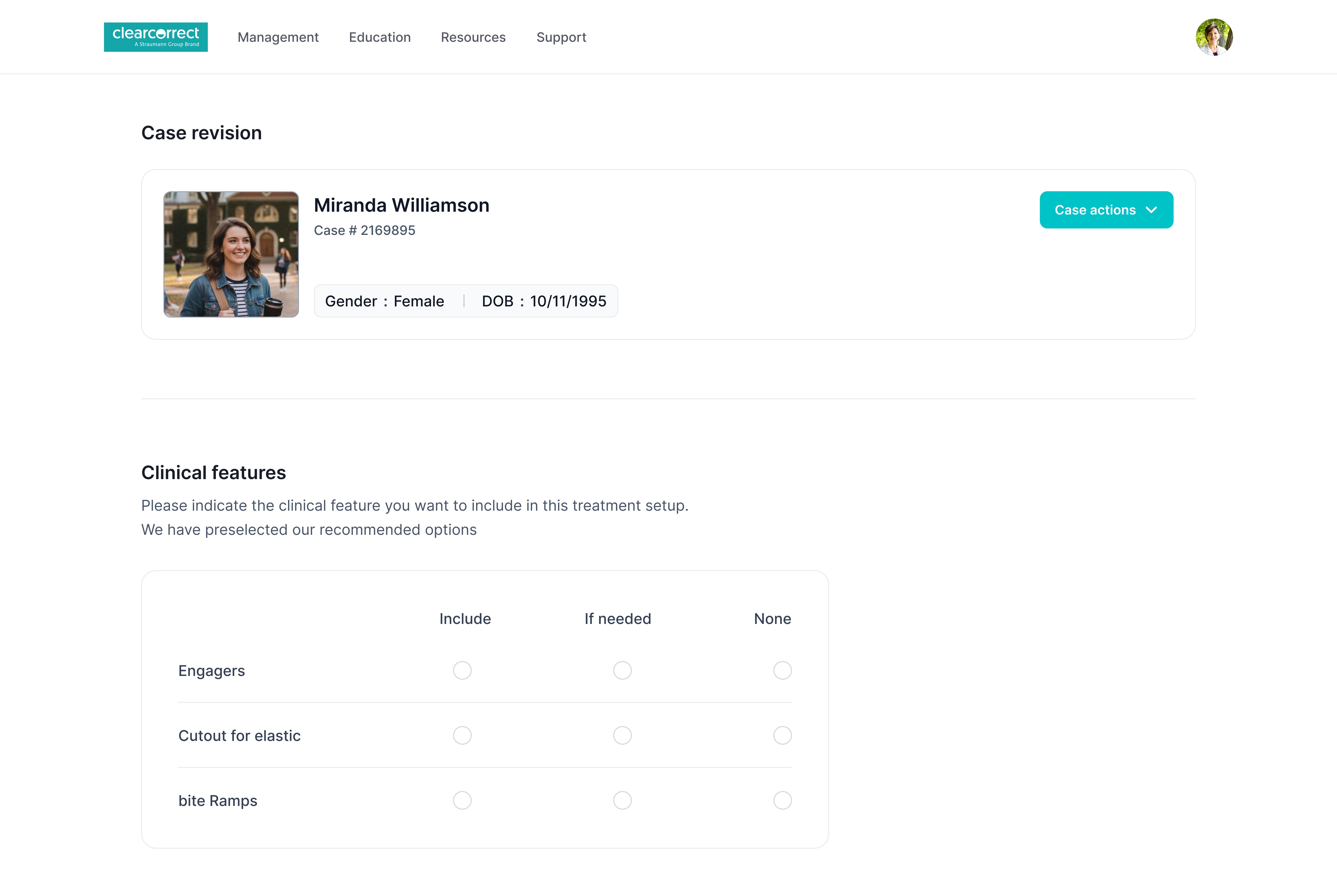
Few final screens
An overview of the final product screens designed to streamline workflows and support better clinical outcomes.
Welcome back
Welcome back! Please enter your details.
dr.joe@clearcorrect.com
Password
•••••••••••••
Remember me for 30 days
Forgot password
Sign in
Sign in with Google
Don’t have an account?


The Impact
Expected business outcome
The ClearCorrect Doctor Portal redesign focuses on reducing operational friction for clinicians while improving case accuracy, turnaround time, and platform adoption. By streamlining workflows and clarifying complex decision points, the experience is designed to deliver measurable business and clinical impact.
🕰️ Faster Case Submission
Reduced time to complete and submit cases by simplifying multi-step RX flows and removing redundant inputs.
📈 Increased Platform Adoption
Improved usability and clarity encourage consistent usage among orthodontists, general dentists, and clinical assistants.
✅ Higher Case Accuracy
Clear validation, structured inputs, and better visual feedback reduce incomplete or incorrect submissions.
🔄 Reduced Rework & Support Dependency
Fewer clarification loops with ClearPilot and support teams due to clearer intent capture and fewer errors at submission.
⚙️ Improved Operational Efficiency
Standardized workflows and system-driven guidance help scale operations without increasing manual intervention.
My learnings
This project strengthened my ability to design at scale while balancing speed, quality, and collaboration in a complex enterprise environment.
• Building AI into the design system workflow
I explored how AI can support design systems by accelerating pattern discovery, validating decisions, and assisting with scalable documentation-without replacing design judgment.
• Accessibility as a continuous practice
I reinforced the importance of embedding accessibility checks (WCAG) early and repeatedly, treating accessibility as a system-level responsibility rather than a final QA step.
• Stakeholder communication in complex systems
I learned to translate design intent into clear rationale for product, engineering, and business stakeholders-aligning usability decisions with technical and operational constraints.
• Using AI for user journeys and sense-making
AI tools helped me synthesize research insights faster, map complex user journeys, and structure large problem spaces into clear, actionable flows.
• Understood the purpose of design system maintenance
Gained clarity on why ongoing maintenance is critical to ensure consistency, scalability, and long-term product stability.